How to Generate Shopify Color Variant Images Using AI Product Recoloring
The Hidden Toll of Waiting for Physical Samples
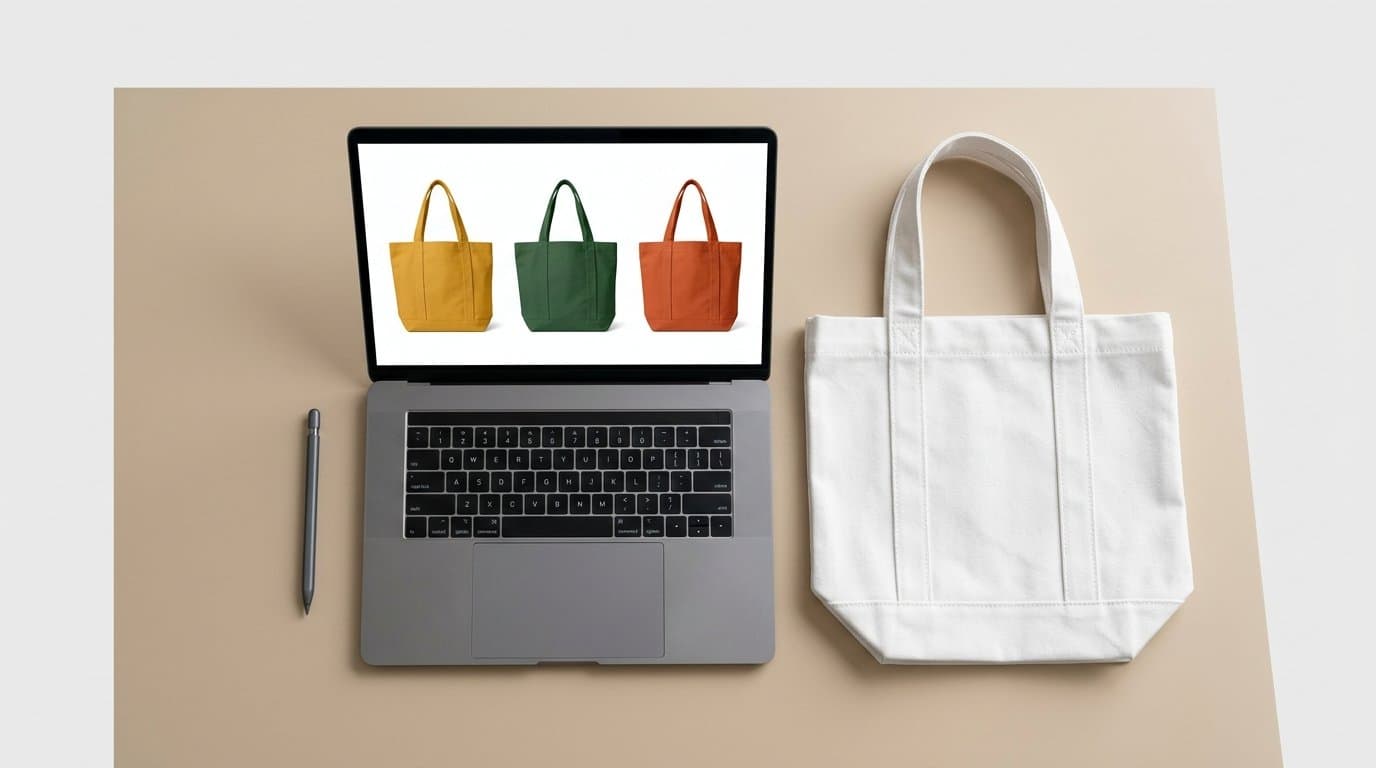
A direct-to-consumer brand decides to launch a new seasonal palette. They want to introduce a burnt orange and a deep pine green version of their bestselling canvas tote bag.
What happens next? You wait. You wait for the factory overseas to source and dye the heavy canvas. You wait for the physical prototypes to finish production and ship across the ocean. You coordinate complex schedules to book a studio, hire a photographer, find a stylist, and finally shoot the bags. Weeks or sometimes months go by just trying to capture a few basic e-commerce photos.
This traditional workflow creates a massive bottleneck. The financial math of shooting new variants adds up aggressively. You are paying high day rates and per-image retouching fees just to show a customer an existing product in a slightly different shade. Sometimes merchants delay adding new colors entirely because they simply cannot justify the logistical headache of coordinating another physical photoshoot.
We've seen perfectly good product expansions die on the vine this way. The opportunity cost of waiting for physical samples often outweighs the manufacturing costs themselves. Every week your new variant sits in supply chain limbo is a week you miss out on potential revenue.
Why 2026 is the Year of Dedicated AI Recoloring
By mid-2026, the workflow trend has decidedly shifted. Forward-thinking merchants are bypassing supply chain delays entirely by using generative AI to create accurate color variants from a single approved base image.
This process is completely different from the old methods of using a magic wand tool and a hue and saturation adjustment layer in Photoshop. If you ever tried that manual approach, you know the results were almost always flat. Shadows looked strange, highlights became muddy, and the fabric lost its natural luster.
Modern AI recoloring actually understands the geometry and texture of physical objects. Whether merchants experiment with tools like Photoroom, Claid.ai, Botika, Kive.ai, or our own Modelize platform, the algorithms now recognize what is woven cotton, what is brushed metal, and how studio light wraps around a curved surface. You provide a base image along with a specific hex code or a reference swatch. The system then generates an image that looks physically grounded and realistic.
Retailers are adopting this technology rapidly because it fundamentally alters their go-to-market speed. Instead of relying on a cargo ship to deliver a physical prototype, an e-commerce marketing team can generate production-ready visuals in a single afternoon.
Preserving Trim, Hardware, and Fine Details
One of the biggest anxieties brand owners harbor about AI product photography is the fear of losing small, critical details. A customer buying a premium technical jacket will absolutely notice if the waterproof zipper looks blurred.
How do you keep intricate embroidery intact? How do you stop the system from accidentally turning your shiny silver hardware into a dull matte gray?
First, you must start with a highly detailed base image. If the original photo has sharp contrast around logos and trim, the AI has a clear map to follow. Blurry or low-resolution originals will only yield muddy generations.
Second, leverage advanced masking. Professional AI tools allow you to isolate the specific fabric you want to alter while locking the rest of the image pixels safely in place. You literally paint over the canvas of the tote bag or the nylon of the jacket, carefully excluding the zipper track and the embroidered chest logo.
Some workflows now incorporate depth maps. A depth map creates a structural understanding of the flat image, telling the software exactly where a fold dips and where a button protrudes. This extra layer of data prevents flat, painted-on looking colors and keeps the physical properties of the item intact.
Specifying the material type in your text prompt also helps maintain structural integrity. Instead of just requesting a color change to red, instruct the system to generate crimson red ripstop nylon or burgundy heavy-weight denim. Giving the AI material context stops it from rendering a rough canvas texture as smooth plastic.
Sometimes the most effective trick is running multiple passes. Generate the new color, then use a localized inpainting tool to clean up any slight color bleed around the edges of a brass button or a complex zipper pull.
The Financial Math of Eliminating Sample Shoots
Shooting a physical sample involves hard costs. Photographers, studios, models, and retouchers all require payment. The soft costs, however, are frequently more damaging to a brand's bottom line.
If a manufacturing delay pushes your autumn knitwear release from early September to late October, you miss the prime purchasing window entirely. Generating those colors digitally allows you to start taking pre-orders or testing market demand before the bulk shipment even leaves the factory floor.
We've observed DTC brands using AI color replacement specifically for A/B testing product demand. They generate five potential new colorways for a popular sneaker and run social media ads featuring all of them. Whichever colors get the most clicks and highest engagement dictate their actual manufacturing orders. They use the generated imagery to validate demand without ever producing a single physical sample of the rejected colors.
Say a specific shade of lilac suddenly goes viral on social media. Traditional brands would scramble to source the fabric, create a sample, shoot it, and list it. By the time that is done, the trend is usually dead. Brands using AI color replacement simply generate a lilac variant of their best-selling dress from an existing gray base image. They throw the variant up on Shopify as a pre-order on a Tuesday. By Friday, they have enough confirmed demand to confidently place a bulk order with their manufacturer.
This shifts visual merchandising from a reactive process to a proactive strategy. You aren't taking photos of what you made. You are making what your photos proved will sell.
Building a Base Image Library for Infinite Recolorability
To make this workflow sing, you need to rethink how you shoot your initial physical products. Treat your next photoshoot not as a rigid event for a specific seasonal lineup, but as the foundation for an ongoing asset library.
Capture a neutral base asset that can be infinitely modified later. Shoot the initial product in a mid-tone color. Light gray, beige, or soft taupe are ideal candidates.
If you photograph a pitch-black garment, the AI will struggle to find highlights and shadow details to recolor. Dark pixels lack the necessary data for light colors to map onto realistically. If you photograph a neon pink garment, intense color bleed and harsh reflections onto the model's skin will make digital alteration incredibly difficult to correct.
Ensure your studio lighting is bright and even. High-contrast, moody shadows might look dramatic for a campaign banner, but they complicate the recoloring process heavily. A flat, well-lit studio shot gives the AI a clean, predictable canvas to work on.
Ask your photographer to shoot the product completely styled and perfectly steamed. AI can alter the hue and adjust the texture, but it shouldn't be relied upon to fix terrible physical styling or deep wrinkles in the original fabric. Get the physical geometry right in the camera first.
Mapping Generated Visuals to Shopify Variant Galleries
Once you have a folder full of crisp, AI-generated color variants, the final step is getting them properly loaded into your storefront.
Uploading twenty different colored shirts to a single product page without organization creates a massive navigational headache for the shopper. You need to map these visuals directly to the specific Shopify variants. When a customer clicks the little navy blue swatch, the main image needs to immediately switch to the navy blue AI image.
Keep your file names pristine. Before you upload anything to Shopify, label your files logically. A structure like Classic-Tee-Front-Navy.jpg and Classic-Tee-Back-Navy.jpg works perfectly. Clear nomenclature helps you manage the backend gallery and improves your image SEO simultaneously.
Use Shopify's native media gallery features to assign specific photos to specific variants. In the Shopify admin panel, go to your product page, scroll down to the Variants section, and click the image icon next to each specific variant. Select your newly generated AI image for that specific color.
If your current Shopify theme lacks the ability to filter gallery images by variant natively, consider installing a dedicated variant image linker app. These tools force the gallery to only display the photos associated with the selected color swatch. Grouping images improves the user experience dramatically. A shopper hunting for the back angle of a blue shirt does not want to scroll past ten pictures of the red version to find it. Keeping the gallery clean and focused on exactly what the customer is currently viewing leads directly to higher conversion rates.
Launching Products at the Speed of Demand
The e-commerce environment simply does not wait for slow production cycles. Brands that require physical samples for every single visual update consistently fall behind competitors who leverage digital workflows.
Using dedicated AI recoloring tools lets you untether your marketing calendar from your supply chain constraints. You can spin up seasonal variants, run hyper-targeted promotions based on trending colors, and populate your Shopify store with gorgeous photography weeks before physical inventory arrives.
Start small. Pick one evergreen product in your catalog that could use a visual refresh. Shoot a fantastic base image in a neutral tone, run it through your preferred recoloring software, and link those new variants in your store. The agility you gain will change how you plan your product launches moving forward.
More in Product Photography
View all
How to Train Midjourney v8.2 Personalization Profiles for Shopify Brands
The latest Midjourney v8.2 update drastically improves AI style personalization. Learn how to train the algorithm to inherently match your exact brand aesthetic for highly consistent e-commerce lifestyle photography.
How to Turn 2D Product Photos into 3D Models for Shopify Using AI
Spatial commerce is no longer just for big brands. Learn how to use new 2026 AI generation tools to turn your standard 2D product photos into interactive 3D and AR models for your Shopify store.
How to Refine Shopify Product Photos Using Multi-Turn AI Inpainting
Learn how to stop re-rolling AI image generations and use targeted multi-turn inpainting to fix specific elements, swap lifestyle props, and perfect your product photos.
Generate Stunning Product Photos with AI
Modelize is a Shopify app that creates professional product images in seconds - AI models, backgrounds, and more. No photoshoot needed.