How to Run a Zero-Shoot Product Launch on Shopify Using AI Photography
The Economics Driving the Zero-Shoot Launch Model
Traditional product launches involve a heavy upfront gamble. You finalize a design, place a bulk manufacturing order, and wait weeks for inventory to arrive. Then you pack up samples and ship them to a studio. You hire models, book locations, and pay a photographer. The logistics are exhausting. Samples get lost in transit. Weather ruins natural light sessions. Talent cancels at the last minute.
Recent 2026 industry breakdowns reveal exactly how fast these expenses compound. Basic catalog listing shots typically run $25 to $75 each, while lifestyle and on-model imagery easily pushes real costs to $100 to over $500 per product once retouching, agency fees, and studio rental are factored in. A brand launching a modest 50-piece capsule collection might burn through $15,000 just on visual assets before a single customer sees the website. For larger catalogs of around 500 SKUs, merchants regularly spend $125,000 to $250,000 annually to shoot traditionally.
After all that capital is spent, the inventory just sits in a warehouse. If a design flops, you take the financial hit on both the dead stock and the creative production.
This unsustainable math is why agile Shopify merchants are aggressively shifting toward demand validation before production. They execute this through a playbook increasingly known as the zero-shoot launch.
This methodology is remarkably straightforward. You take a single factory sample or a high-quality supplier mockup. You use AI to generate the entire visual campaign. Then you build a high-converting pre-order page to fund the actual manufacturing run. You carry zero inventory risk and absolutely no photoshoot debt.
Sourcing the Raw Material
To run a zero-shoot campaign, you still need an anchor image. AI requires a baseline understanding of your product's texture, silhouette, and physical characteristics.
Many founders assume they need a perfect studio photograph to feed the software, but a modern smartphone photo often provides enough raw data. If you are producing custom apparel, ask your factory for a well-lit photo of the first physical prototype draped on a standard dress form. For home goods like ceramic vases or pour-over coffee makers, a quick snapshot on a neutral tabletop works perfectly. Some manufacturers even provide detailed 3D renders during the prototyping phase. Those digital mockups serve as excellent seed images.
At this stage, your only objective is capturing the item's geometry and material. You aren't trying to capture mood, lighting, or context yet. Just secure a clean view of the product from a few different angles.
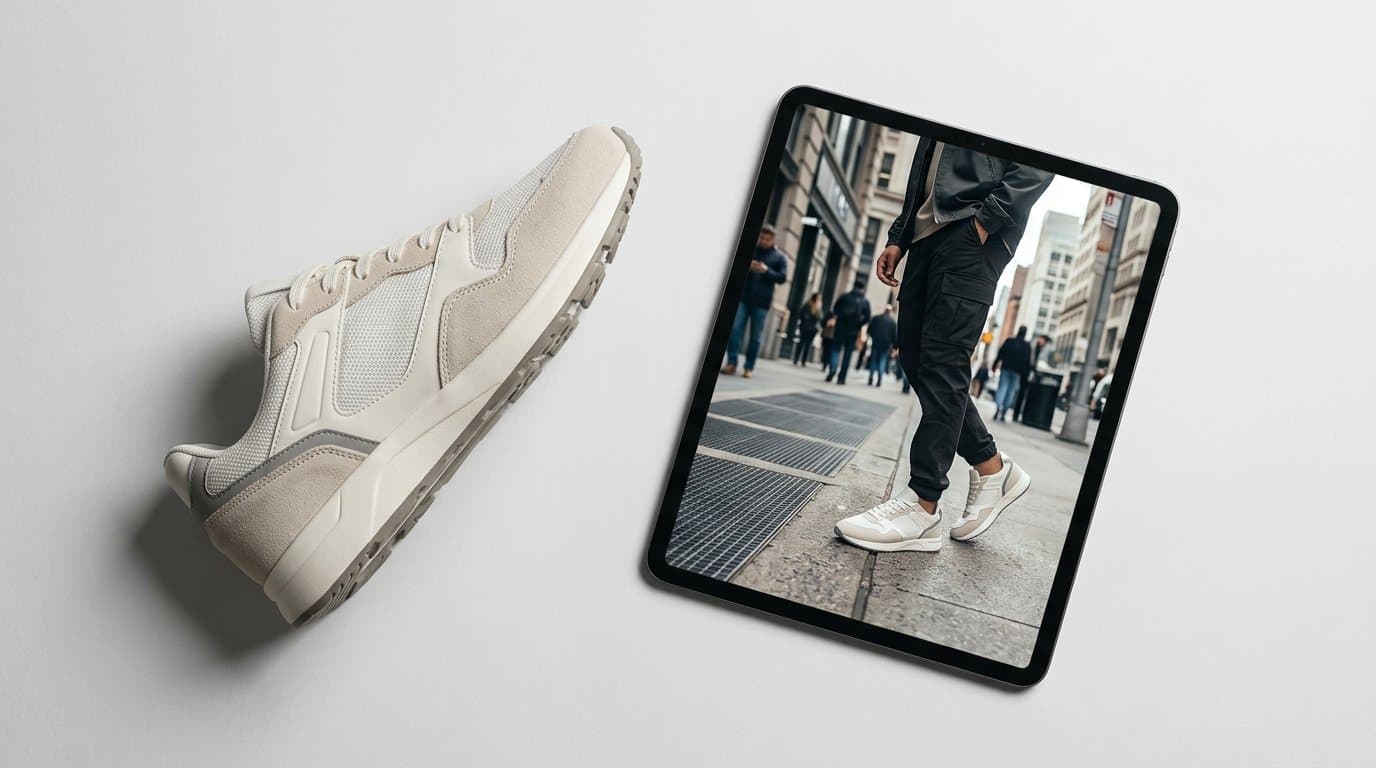
Certain categories benefit massively from this early capture phase. Furniture brands save thousands of dollars on freight simply by having the overseas factory snap a picture before a heavy item goes into a shipping container. Apparel brands can skip manufacturing full sizing runs just to shoot a lookbook. We've seen DTC footwear companies launch entire colorway extensions using a single white sneaker as the physical base template.
Building the Visual Arsenal
Once you have your base image, the production process moves entirely into the cloud. A successful Shopify product page requires a diverse mix of visual assets to build trust and drive conversions. Shoppers expect to see the product isolated, styled in a lifestyle setting, and demonstrated in human hands or worn on a body.
This is where your software stack matters. The market is full of specialized tools tailored to different creative needs. Brands might rely on Photoroom for instant background removal and basic shadow generation. Some marketers prefer Pixelcut or Claid.ai for batch-processing clean e-commerce catalog shots. If your creative team needs to organize conceptual references or mood boards, Kive.ai offers strong asset management. Botika has made strides in swapping faces and adjusting apparel fits on standard model templates. We designed Modelize specifically to give merchants a comprehensive suite for generating highly realistic on-model, lifestyle, and flat-lay photography directly from single samples, keeping the entire campaign cohesive without piecing together five different apps.
A proper zero-shoot product page needs serious variety to convert traffic.
- The Hero Shot: A clean, brightly lit image focusing entirely on the product against a neutral backdrop.
- Contextual Lifestyle: A camping mug sitting on a weathered log near a fire, or a luxury handbag resting on a marble cafe table.
- On-Model Scale: Showing apparel actually draped on a human, or hands interacting with a tech gadget so buyers understand physical dimensions.
- Texture Details: Macro-style outputs highlighting the weave of a linen shirt or the grain of leather.
- Colorway Variations: Showing the exact same environment and lighting setup, but with your product rendered in olive green, navy blue, and matte black.
Generating these variations takes hours instead of weeks. You can iterate on lighting and background environments until the visual narrative perfectly matches your brand identity.
Testing Aesthetics in Real Time
Physical photoshoots lock you into a single creative direction. If you pay a crew to shoot your new swimwear line on a beach in Miami, those are the assets you own. If your audience actually responds better to a poolside resort aesthetic, you cannot simply reshoot without doubling your budget.
AI photography introduces the concept of visual A/B testing. You can take your factory sample and generate one batch of images featuring a minimalist, Scandinavian studio environment. You can take that exact same product and generate a second batch featuring a gritty, urban street style.
Run targeted ads using both aesthetic styles. Send traffic to two different landing pages. The data will tell you immediately which visual language converts better. You gain the ability to pivot your creative direction mid-campaign without booking another photographer or waiting for sunny weather.
Configuring the Pre-Order Engine
Beautiful photography won't generate cash flow without the right operational setup. The technical bridge between a zero-shoot visual campaign and a funded manufacturing run is your Shopify pre-order architecture.
Out-of-the-box Shopify features handle basic inventory counts, but serious demand validation requires dedicated mechanics. You want customers to understand exactly what they are paying for and when it will ship. Specialized apps like STOQ or PreProduct allow you to capture payments securely while setting clear fulfillment timelines,.
There are four highly effective ways to structure this validation phase:
- The Full Deposit. You collect 100% of the retail price upfront. This provides maximum working capital to pay suppliers immediately. It works exceptionally well for limited-edition streetwear drops and highly anticipated tech gadgets.
- The Partial Commitment. Customers pay a 20% or 30% deposit to secure their item, with the balance charged automatically upon fulfillment. High-ticket items like custom furniture or premium travel luggage perform best with this model.
- The Tiered Early Bird. You offer a steep discount to the first 100 buyers. The next 200 buyers get a smaller discount. This artificially injects urgency into the campaign, helping you hit your factory minimum order quantities (MOQs) in days rather than weeks.
- The Crowdfunding Style. The product only goes into production if a specific order threshold is met within a time limit. If you fall short, orders are automatically refunded.
Be aggressively transparent about shipping dates. If your factory needs four weeks to produce the goods and two weeks for freight, tell your buyers to expect delivery in eight weeks. A beautiful on-model AI image builds the desire, but clear communication prevents chargebacks and angry customer service emails.
This strategy isn't limited to direct-to-consumer sales. Wholesale buyers and retailers also respond well to high-quality visual catalogs. If your brand is expanding into wholesale, you can use these same generated assets to secure B2B purchase orders. Apps supporting Shopify's B2B features now allow merchants to collect retailer orders for an upcoming seasonal collection before manufacturing even begins. You present a visually stunning line sheet, secure wholesale commitments, and produce exact quantities.
Engineering Realism for Conversion
Shoppers are highly perceptive. They scroll past thousands of images a day. If your product photography looks artificially plastic or physically impossible, trust evaporates instantly.
A pre-order page asks a customer to hand over their money for something they cannot receive today. That requires immense confidence in the brand. You must prioritize realism above all else during the AI generation process.
Pay attention to shadows and gravity. A heavy cast-iron skillet cannot look like it is floating slightly above a kitchen counter. The lighting on your product must match the lighting of the AI-generated environment. If the sun is setting in the background behind a model, the highlights on your apparel must reflect that warm, directional evening light.
Consider the physical properties of your materials. Corduroy absorbs light differently than silk. A brushed aluminum espresso machine diffuses reflections, whereas polished chrome mirrors its surroundings. If you feed an AI a photo of a matte product, but the output renders it with high-gloss reflections, you create a false expectation. Customers will notice the discrepancy the moment they open the box. Marketplaces are increasingly strict about misleading visual representations. Your AI outputs must accurately reflect physical reality, or you will pay the price in returns and negative reviews once the items ship.
Diversity in your models also builds credibility. Traditional photoshoots often force brands to choose just one or two models due to budget constraints. AI generation allows you to show your apparel on a wide spectrum of body types, skin tones, and ages. This visual inclusivity often leads to higher conversion rates because more visitors can see themselves in your product.
The Operational Shift
Moving to a zero-shoot launch model requires a genuine change in how you view product development. You are breaking away from a rigid, linear timeline. You no longer have to wait for the final, polished product to arrive in your local warehouse before you begin marketing.
Marketing and manufacturing can happen simultaneously.
Your operations team negotiates pricing with the supplier. Meanwhile, your creative team takes the factory photos and builds the Shopify product pages. Your media buyers start teasing the visuals on social media. By the time the supplier asks for the bulk payment to start production, you already have the cash sitting in your merchant account from eager early adopters.
Executing the Strategy
Start small.
Choose a single upcoming SKU that carries high manufacturing costs. Ask your supplier for a prototype photo instead of a physical sample. Run that image through your AI stack to build out a robust product page.
Launch a two-week pre-order window. Direct your email list and some light paid social traffic to the page. Watch the analytics closely.
If the orders pour in, you just funded your inventory with zero upfront creative debt. If the launch falls flat, you saved thousands of dollars and weeks of wasted effort. That agility is exactly how modern retail survives and scales. You protect your cash flow, you test ideas rapidly, and you only build what people actually want to buy.
More in Shopify Growth
View all
How to Adapt Your DTC Product Photos for Shopify B2B Channels Using AI
With Shopify rapidly expanding its B2B capabilities, consumer brands are opening wholesale portals. Learn how to use AI to instantly transform your DTC product photos into bulk, retail-ready B2B imagery.
How to Add AI Virtual Try-On to Your Shopify Store
A practical guide to adding virtual try-on and size recommendation to a Shopify fashion store with OptiDress, from choosing the right type of try-on to setup, placement, and measuring results.
How AI Product Photos Protect Shopify Dropshippers from Reverse Image Search
Stop losing sales to AliExpress and Temu. Learn how transforming generic supplier images with AI photography breaks the reverse-search trail and protects your store's margins.
Generate Stunning Product Photos with AI
Modelize is a Shopify app that creates professional product images in seconds - AI models, backgrounds, and more. No photoshoot needed.