Smartphone Product Photography: Tips to Get Pro Results with Your Phone
Your Phone Is More Capable Than You Think
The camera in your pocket is more powerful than the professional equipment used for product photography just a decade ago. Modern smartphones shoot at 48 megapixels or more, handle complex lighting situations with computational photography, and produce files sharp enough for any e-commerce platform.
The gap between phone photography and professional studio work isn't about the camera — it's about technique, lighting, and post-processing. Master those elements, and your smartphone becomes a legitimate product photography tool.
Lighting Is Everything
No amount of editing can fix a poorly lit product photo. Fortunately, great lighting doesn't require expensive equipment.
Natural light is your best free resource. Photograph near a large window during the day, positioning your product so the light falls evenly across its surface. Avoid direct sunlight, which creates harsh shadows and blown-out highlights. An overcast day provides the softest, most even natural light — essentially a giant softbox in the sky.
If natural light isn't available or consistent enough, a simple ring light or a pair of desk lamps with daylight-balanced bulbs will get you surprisingly far. Position lights at 45-degree angles on either side of the product to minimize harsh shadows.
The key principle: even, diffused light reveals product details without creating distracting shadows or reflections.
Setting Up Your Shot
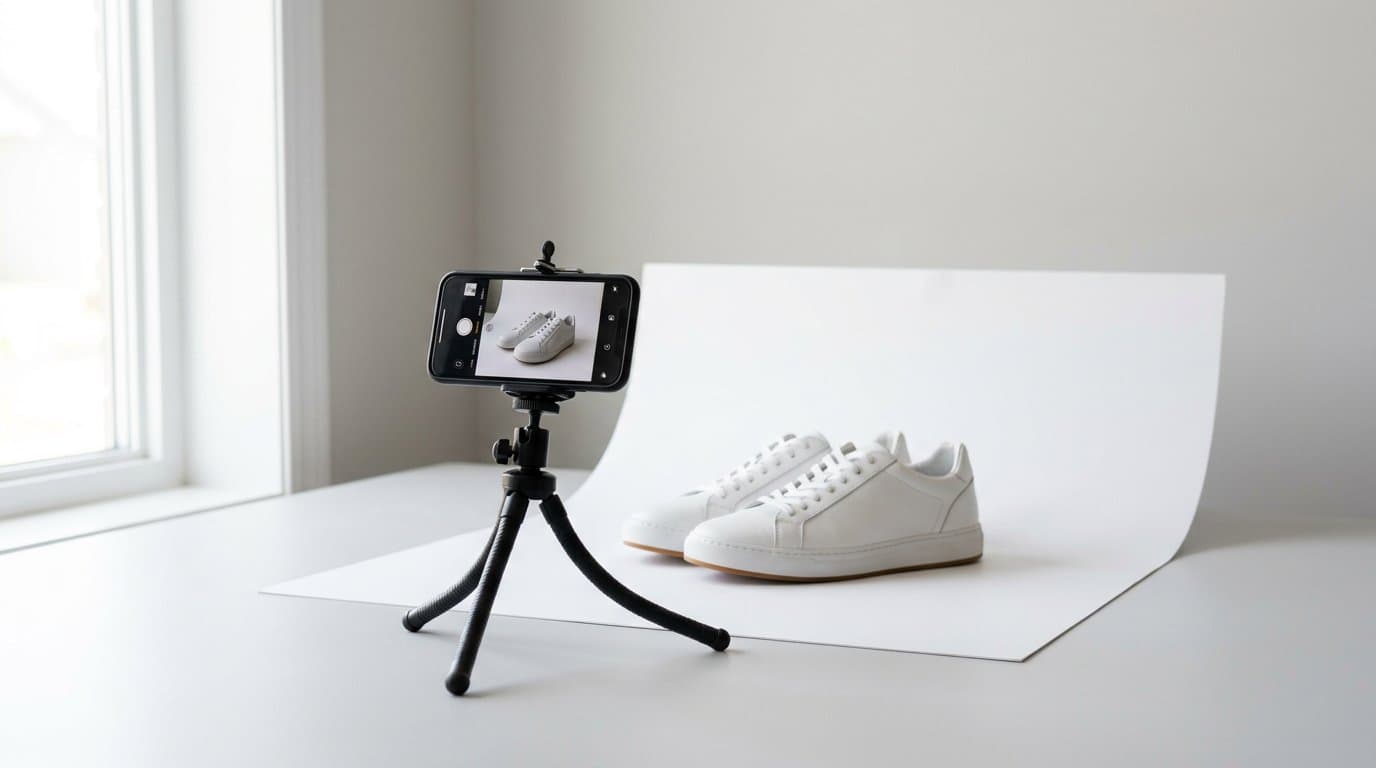
You don't need a studio to create clean product photos. A sheet of white poster board curved against a wall creates a seamless white background — the classic "sweep" that professional photographers use. Tape it securely so it doesn't shift between shots.
Use a tripod or phone mount. Even the most steady hands introduce slight motion blur, especially in lower light. A basic smartphone tripod costs less than a cup of coffee and makes a dramatic difference in sharpness.
Set your phone to its highest resolution and turn off digital zoom. If you need a closer shot, physically move the phone closer rather than zooming in. Digital zoom degrades quality significantly.
Phone Camera Settings That Matter
Most smartphone cameras default to automatic mode, which works reasonably well. But a few manual adjustments can improve your results significantly.
Lock your exposure and focus by tapping and holding on the product in your camera app. This prevents the camera from refocusing or adjusting exposure between shots, keeping your images consistent across a product line.
Turn off HDR for product photography. While HDR is great for landscapes, it can introduce unnatural tones and processing artifacts in controlled product shots. You want accurate colors, not enhanced ones.
Shoot in the highest quality format available. If your phone supports RAW or ProRAW, use it for maximum editing flexibility. If not, the highest JPEG quality setting will work fine for most e-commerce purposes.
Composition Rules for Products
The way you frame your product affects how customers perceive it. A few composition principles make a big difference.
Center your product in the frame with consistent padding on all sides. This creates a balanced, professional look and gives you room to crop for different aspect ratios across platforms.
Shoot from multiple angles. The front-facing hero shot is essential, but side views, detail close-ups, and overhead shots help customers understand the product fully. Plan to capture at least five angles for each product.
Maintain consistent framing across your catalog. If you photograph one handbag filling 70 percent of the frame, every handbag should fill roughly the same proportion. This visual consistency is what makes a store look professional.
Common Phone Photography Mistakes
Dirty lenses are the most common and most easily fixed mistake. Phone lenses pick up fingerprints and pocket lint constantly. Clean your lens before every shooting session — it takes two seconds and prevents hazy, low-contrast images.
Avoid using the flash. Phone flashes produce harsh, direct light that creates unflattering shadows and washes out colors. Natural or controlled artificial light always produces better results.
Don't over-edit with phone filters. Instagram-style filters are designed for social posts, not product listings. Customers need to see accurate colors and genuine product details. Any editing should improve clarity and accuracy, not add artistic effects.
Watch out for color casts from your environment. Shooting near a colored wall or under warm tungsten lighting will tint your product photos. Shoot against neutral backgrounds in neutral lighting for the most accurate color reproduction.
From Phone Photo to Professional Listing
Here's where AI transforms the equation. A well-lit, sharp product photo taken on a smartphone gives AI tools everything they need to create professional-quality listing images.
Modelize can take your smartphone product photo and generate studio-quality backgrounds, place products on AI models, or create lifestyle scenes — all from that single phone capture. The AI handles the heavy lifting of post-production that traditionally required Photoshop expertise and hours of editing time.
This workflow is a game-changer for small businesses. Photograph your products with your phone using the techniques above, upload to Modelize, and generate polished, marketplace-ready images in seconds. No studio rental, no professional editing, no expensive equipment.
Editing Basics for Phone Photos
Even before AI enhancement, a few quick edits can dramatically improve your phone photos.
Adjust white balance to ensure whites look truly white and colors are accurate. Increase contrast slightly to make the product pop against the background. Crop to a consistent aspect ratio across all your product images.
Use your phone's built-in editor or a free app like Snapseed for these adjustments. Keep edits subtle — the goal is accuracy and consistency, not dramatic transformation.
Building a Repeatable Workflow
Consistency matters more than perfection. Set up a dedicated shooting spot with reliable lighting, mark the position where your product sits, and note your phone's distance and angle. This way, every product gets photographed under identical conditions.
Create a shooting checklist: clean the lens, position the product, lock focus and exposure, capture all required angles, review images at full zoom before moving to the next product. A systematic approach ensures nothing gets missed during a long shooting session.
The Bottom Line
Professional product photography doesn't require professional equipment. A smartphone, good lighting, clean backgrounds, and consistent technique will produce images that rival traditional studio work — especially when combined with AI post-processing.
The barrier to great product imagery has never been lower. The merchants who embrace this reality and invest their energy in technique rather than expensive equipment will build visually compelling stores without the overhead that used to make professional photography a luxury.
Generate Stunning Product Photos with AI
Modelize is a Shopify app that creates professional product images in seconds - AI models, backgrounds, and more. No photoshoot needed.