How to Prepare Your Visual Catalog for Shopify's New Campaign Autopilot
The Catch Behind Shopify's New Campaign Autopilot
Shopify’s Summer 2026 Editions release dropped over 150 updates in June, but one feature completely hijacked the e-commerce timeline. Campaign Autopilot is now live in early access. It autonomously takes over your marketing across Meta, Microsoft, and ChatGPT Ads using your store's existing catalog imagery.
You just set your budget guardrails. The AI handles the rest.
It sounds brilliant. But there is a massive catch that many brand owners are completely missing right now.
Autopilot acts as your media buyer—not your creative director. The system pulls exclusively from your existing visual catalog to build these ads. It does not generate new ad creatives from thin air. If your product pages are sitting there with a single badly lit studio shot from 2024, Autopilot will faithfully take that mediocre image and spend your hard-earned marketing budget forcing it into users' feeds.
How Autopilot Deploys Your Images Across Channels
Autopilot doesn't just blast the exact same image everywhere. It adapts your catalog assets to fit the specific network it is bidding on. Understanding this routing behavior is the key to feeding the system the right visual assets.
Meta Ads
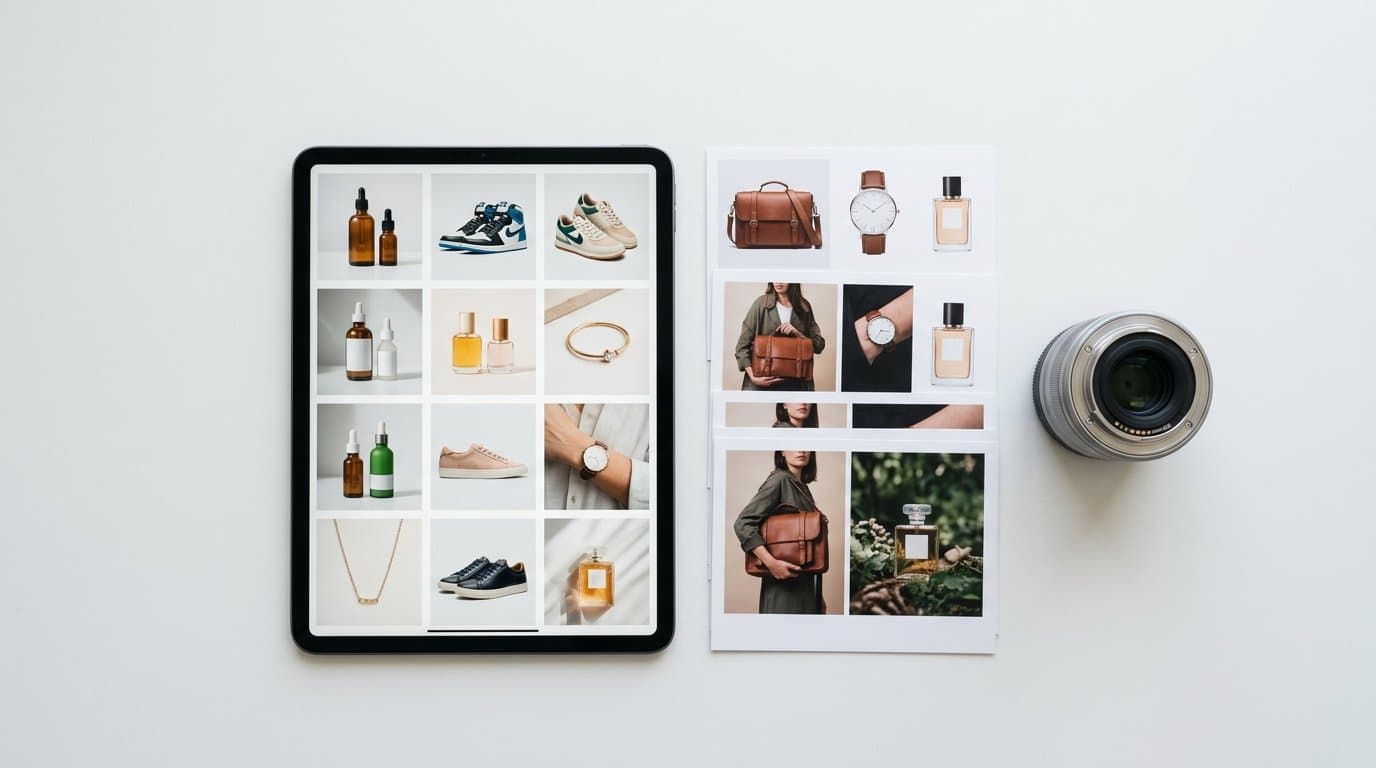
The Meta algorithm favors visually engaging, thumb-stopping content. Autopilot will attempt to build carousel ads and dynamic product ads using your image gallery. If your catalog only contains a single studio shot per SKU, your dynamic carousels will look repetitive and robotic. You need vibrant lifestyle shots and on-model variants to capture attention in a crowded social feed.
Microsoft Advertising
Microsoft captures a massive segment of high-intent search traffic and native audience network placements. These ad slots often require clear, high-contrast imagery that reads well in smaller formats alongside text search results. Crisp, white-background packshots are mandatory here. If your primary image is a cluttered lifestyle scene, it will shrink into an unreadable mess on a Microsoft native ad placement, tanking your click-through rate immediately.
ChatGPT Ads
As conversational commerce explodes, Shopify has integrated direct placements within ChatGPT. When an AI agent recommends your product to a user asking for "the best heavy winter coats," it pulls your primary catalog image directly into the chat interface. In a text-heavy environment, the image needs to communicate quality and detail instantly. An on-model shot that clearly displays the fit and fabric texture provides the exact visual proof the user needs to validate the AI's recommendation.
Why Your Current Images Will Break the Algorithm
We've audited hundreds of store catalogs this year. Most follow an outdated playbook: one decent white-background hero shot, maybe a close-up of the fabric or packaging, and zero contextual imagery.
That lazy approach worked fine when catalog feeds were just used for Google Shopping grids. Now, those same feeds are being pulled into highly visual, competitive environments by Shopify's own internal AI.
Shoppers require rich context to make a purchasing decision. Recent data from eMarketer shows that e-commerce product pages utilizing both lifestyle and studio photography see an average conversion rate uplift of 30% [1]. Buyers need to evaluate the rational details and the emotional context simultaneously.
The impact extends far beyond the initial click. Stores that integrate both styles effectively often report massive drops in customer disappointment. E-commerce research shows that implementing clear lifestyle and studio photography combinations can lead to a 50% reduction in returns [1]. When customers see how a product exists in the real world, their expectations align perfectly with reality.
Let’s look at how this dynamic plays out across different retail categories.
Heavy wool sweaters need a stark white background to show the exact cut, hemline, and texture of the knit. But that same sweater also needs an on-model shot showing how it actually drapes on a human body walking down a chilly city street.
A ceramic pour-over coffee maker requires a clean packshot for scale and color accuracy. It also desperately needs a morning kitchen scene to make the shopper crave the daily ritual.
Hydrating serums operate on the same logic. Smear swatches are great for showing viscosity. Seeing that exact same bottle sitting on a sunlit marble vanity creates the premium vibe that stops a thumb from scrolling past your ad.
Without these diverse variations, your automated campaigns will stall out before they even gain traction.
The Math Problem of Traditional Photoshoots
You realize you need six to eight diverse images per product. You have 200 products in your active inventory.
Running this the old way involves booking a studio, hiring models, scouting locations, and paying a professional photographer. That process takes weeks. It easily runs into tens of thousands of dollars.
By the time you get the retouched assets back, the season is half over. You need those assets uploaded yesterday because Autopilot is already active in your admin panel and burning through your daily budget.
Historically, merchants tried to bridge this gap with basic background removal apps or early generative tools. You might have used older versions of Photoroom or Pixelcut to drop a product onto a generic color gradient. Some brands tried Claid.ai for basic image enhancement, used Botika to swap faces on existing models, or relied on Kive to build visual mood boards.
Those stopgap measures fall short today. Slapping a poorly cut-out handbag onto a fake-looking digital beach does not trick a consumer in 2026. Buyers swipe past low-effort composites in a fraction of a second.
Bridging the Asset Gap with Native AI
This is where the visual merchandising workflow has fundamentally changed. Generating professional, high-converting visual assets no longer requires a physical camera, a massive budget, or a disjointed tech stack.
To feed Campaign Autopilot the deep variety it craves, smart operators are using purpose-built AI to instantly multiply their visual assets into hyper-realistic scenes. You can take a basic flat-lay or a simple studio shot and transform it into on-model photography, diverse lifestyle scenes, or fresh studio angles within minutes.
Because our team built Modelize to do exactly this for Shopify merchants, we know firsthand how quickly a stale catalog can be overhauled. Instead of wrestling with generic editors that leave weird lighting artifacts on your product, you can generate retail-ready packshots and lifestyle variants natively. You then map them directly to your active SKUs.
This provides Shopify's automated marketing features with the exact fuel they need. You get high-quality, diverse creative variations that look like a massive editorial shoot.
Your Catalog Overhaul Action Plan
How do you actually prep your store for this update? We recommend a tiered approach rather than trying to fix your entire inventory over a single weekend.
Start with your top twenty percent of revenue-driving products. These are the items Autopilot will naturally favor anyway because they already have historical sales data and proven demand velocity.
Audit the image sequence for each of these core SKUs. The ideal visual mix usually looks something like this:
First, a clean hero image on a neutral background to pass strict marketplace requirements and secure the primary grid click.
Second, a lifestyle shot showing the product in its natural environment.
Third, a scale reference or fit demonstration. For apparel, this means a realistic on-model image. A flat lay of a shirt tells the customer absolutely nothing about how the shoulders drape or where the hem falls on an actual person.
Fourth, a texture or detail macro shot highlighting material quality.
Finally, an alternate lifestyle context to appeal to a totally different secondary buyer persona. If you sell a premium cooler, show it at a quiet beach picnic, and then show it strapped in the back of a muddy pickup truck.
Once you generate and upload these assets, review your Shopify product feed settings. Ensure that your connected marketing channels are syncing all media files, not just the primary hero image. Autopilot needs unfettered access to the full gallery to mix and match dynamic ad formats effectively.
If you are running mobile-heavy ad placements, check how your products render in preview tools. The aspect ratios often crop differently on mobile screens. This makes centered, well-composed lifestyle shots even more critical for mobile conversions.
The New Era of Merchant Advantage
Media buying is rapidly becoming a solved problem. Shopify is proving that right now.
You no longer need to spend hours tweaking audience bids, duplicating ad sets, or hunting for the perfect targeting overlaps in Meta Business Manager. The algorithm handles the distribution mechanics entirely.
The only remaining variable you actually control is what the customer sees when the ad appears on their screen.
If every competing store in your niche has access to the exact same automated campaign manager, the technical playing field is completely leveled. The merchant with the most compelling, varied, and professional visual catalog wins the click. Make sure your storefront is ready before you hand over the keys to the machine.
More in AI & Platform News
View all
How Google UCP Native Checkout Changes Your Shopify Image Strategy
With Google's recent rollout of native UCP checkout for Shopify, shoppers can now buy directly inside AI Overviews and Gemini without ever visiting your website. Here is how to adapt your Merchant Center images when your product page is no longer part of the buyer journey.

How Apple iOS 27 Visual Intelligence Changes Shopify Product Discovery
Apple just turned the iPhone camera into a native shopping engine. Learn how the new Visual Intelligence rollout in iOS 27 impacts e-commerce traffic and how to optimize your imagery for it.
How to Prepare Your Shopify Visuals for OpenAI's New ChatGPT Ads Network
As conversational AI platforms roll out native e-commerce ad formats, your product pages are becoming the foundation for chat-based creatives. Learn how to optimize your visual assets for AI ad managers.
Generate Stunning Product Photos with AI
Modelize is a Shopify app that creates professional product images in seconds - AI models, backgrounds, and more. No photoshoot needed.