How to Create Product Flat Lays That Convert on Shopify
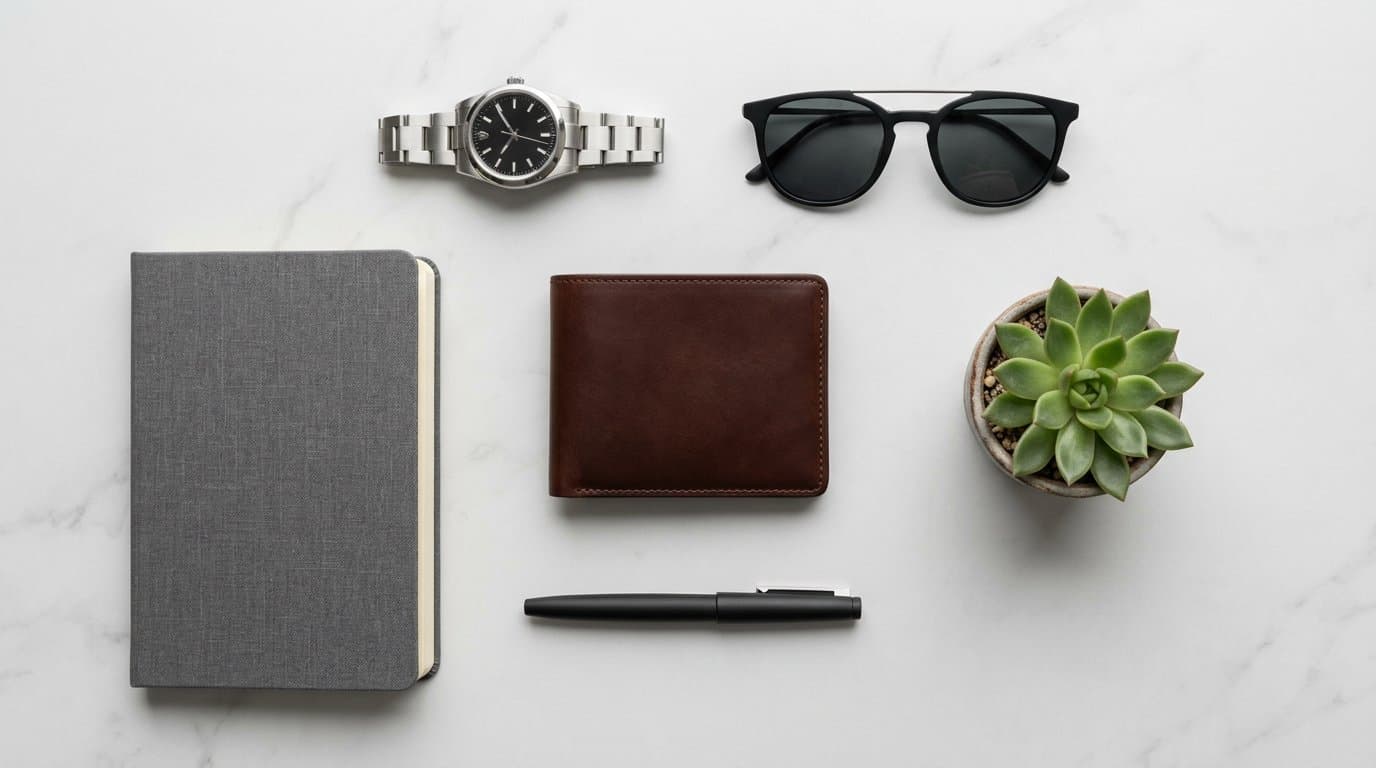
The Power of the Overhead Perspective
Flat lay photography — the art of arranging objects on a flat surface and photographing them from directly above — has become one of the most effective visual formats in e-commerce. There's a reason it dominates Instagram, Pinterest, and the hero sections of successful Shopify stores.
The overhead perspective offers something other angles can't: context through composition. A flat lay doesn't just show a product — it tells a story by surrounding it with carefully chosen complementary items. A leather wallet next to a passport and boarding pass. A skincare routine arranged in order of application. A complete outfit laid out as if ready to wear.
This contextual storytelling drives conversions because it helps customers visualize the product as part of their life, not as an isolated object on a white background.
Planning Your Composition
Great flat lays don't happen by accident. They're carefully planned compositions where every element earns its place.
Start with your hero product — the item you're selling. Place it prominently in the composition, typically at the center or at a key focal point. Everything else in the frame should support and enhance the hero product, never compete with it.
Choose complementary items that tell a story about how the product is used. For a coffee brand, that might include a pour-over kettle, a ceramic mug, and whole beans scattered artfully. For a notebook, a quality pen, reading glasses, and a cup of tea. These props create an aspirational scene that your customer wants to step into.
Limit your props to three to five items beyond the hero product. Too many items create visual clutter and pull attention away from what you're selling. Each prop should add meaning — if it doesn't serve the story, remove it.
Composition Frameworks
Several composition techniques work particularly well for flat lays.
The rule of thirds divides your frame into a three-by-three grid. Placing your hero product at one of the grid intersections creates a naturally balanced, engaging composition.
Symmetrical arrangements work well for products with inherent visual balance — skincare lines, matching accessories, or organized collections. Center the hero product and arrange supporting items symmetrically around it.
Diagonal compositions create dynamic energy. Arrange items along a diagonal line from corner to corner, with the hero product at the line's intersection with the frame's center. This draws the eye through the entire composition.
Grid layouts are ideal for showing product range or variety. Arrange multiple products in a clean, evenly spaced grid. This works beautifully for collections, color variants, or "what's in the box" reveals.
Surfaces and Backgrounds
The surface you shoot on sets the entire mood. White backgrounds keep things clean and product-focused. Marble creates a luxury feel. Wood adds warmth and craft authenticity. Concrete or slate suggests modern, industrial aesthetics.
Whatever surface you choose, ensure it's large enough to fill the frame without visible edges. A cutting board or small tile that doesn't extend to the frame's borders breaks the illusion. Invest in backgrounds that are at least 24 by 24 inches for most product flat lays.
Texture in your background adds visual interest but shouldn't compete with the product. Smooth, minimally textured surfaces keep the focus on your product. Save heavily textured surfaces like rough wood or linen for products that benefit from a rustic or artisanal context.
Lighting for Flat Lays
Flat lay lighting has one critical requirement: it must be even. Because you're shooting from directly above, any directional light creates shadows that fall across the frame in distracting ways.
The ideal flat lay lighting is diffused light coming from slightly above or to one side. A large window with diffusion, a softbox positioned above and slightly behind the arrangement, or a large overhead LED panel all work well.
Avoid on-camera flash or direct overhead light, which flattens the image and creates harsh reflections. If you see your reflection or your camera's shadow in the arrangement, adjust your light position until it disappears.
For consistent results across product lines, mark your light position and keep it identical for every flat lay session. This ensures every image in a collection has the same shadow direction and quality.
Styling Tips That Make the Difference
Small details elevate flat lays from amateur to professional.
Create negative space intentionally. Empty areas in the composition give the eye room to rest and make the hero product feel more prominent. Don't fill every corner — space is a compositional tool.
Angle items slightly rather than placing everything perfectly parallel to the frame edges. A pen at a 15-degree angle looks more natural and dynamic than one perfectly horizontal. A book placed at a slight angle suggests casual arrangement rather than rigid placement.
Add layers through overlapping items slightly. A card half-tucked under a notebook, a scarf draped across a corner, or a plant leaf extending over the edge of the hero product creates depth and visual interest.
Include hands when appropriate. A hand reaching for a product, holding an item, or arranging something in the composition adds human warmth and scale. This works particularly well for lifestyle flat lays destined for social media.
Using AI to Create Flat Lay Scenes
Not every product needs to be physically styled in a flat lay. AI can generate professional flat lay compositions from a single product photo.
With Modelize, you can place your product into styled flat lay scenes with appropriate props, surfaces, and composition — without owning a single prop or backdrop. The AI understands which complementary items make sense for different product categories and creates cohesive, visually appealing arrangements.
This is especially valuable for stores with large catalogs. Creating physical flat lays for hundreds of products requires an enormous collection of props, surfaces, and styling time. AI handles the composition at scale, maintaining consistency across your entire catalog.
Flat Lays for Different Product Categories
Different products call for different flat lay approaches.
Fashion and accessories work beautifully in outfit flat lays. Lay out a complete look — top, bottom, shoes, accessories — arranged as if on an invisible person. This helps customers visualize the complete ensemble and often drives multi-item purchases.
Beauty and skincare products shine in routine-based flat lays. Arrange products in the order they'd be applied, numbered or labeled if helpful. This educates the customer while showcasing your product range.
Food products look appetizing in ingredient-style flat lays. Surround the packaged product with its key ingredients or serving suggestions, creating a visual recipe that makes customers hungry to order.
Tech accessories work well in desk or workspace flat lays. Show the product alongside everyday items — phone, headphones, coffee, notebook — in the context where it'll actually be used.
Optimizing for Different Platforms
Flat lays should be formatted for where they'll appear. Shopify product pages favor square or 4:5 aspect ratios. Instagram posts work best at 1:1 or 4:5. Pinterest favors 2:3 vertical pins. Facebook ads perform well with 1:1 squares.
Shoot your flat lays slightly wider than you need, leaving room to crop for different platforms. It's much easier to crop a wider shot than to reshoot for a different aspect ratio.
Start Simple, Refine Over Time
Don't overcomplicate your first flat lays. A clean surface, your hero product, two or three complementary props, and even lighting will produce effective results. As you develop your eye for composition and styling, your flat lays will naturally become more sophisticated.
The key is consistency and intentionality. Every element in the frame should be there for a reason, and every flat lay across your catalog should share a recognizable visual language that reinforces your brand identity.
Generate Stunning Product Photos with AI
Modelize is a Shopify app that creates professional product images in seconds - AI models, backgrounds, and more. No photoshoot needed.